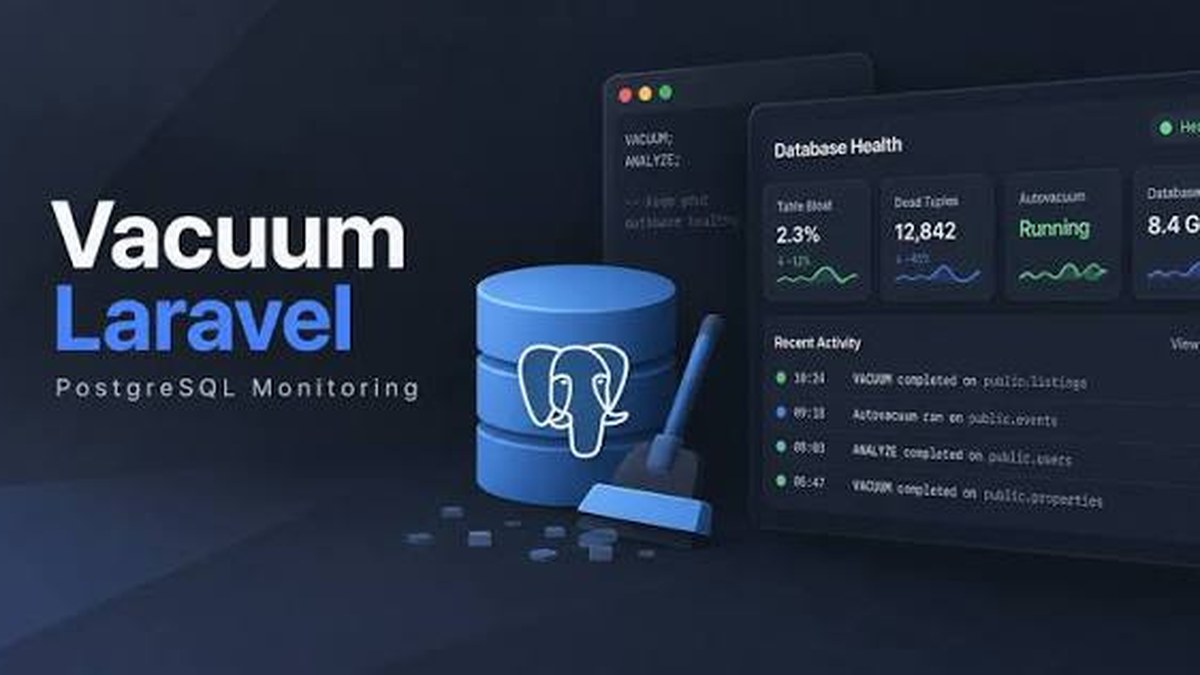
Database problems on PostgreSQL rarely arrive with a flashing warning sign. Bloat creeps up, transaction ID wraparound risk builds silently over months, and that foreign key column your colleague added last sprint never got its index. By the time any of that becomes visible in production, you are already in incident mode. Vacuum, a new Laravel package, targets exactly that gap by surfacing PostgreSQL health issues both during CI and at runtime.
What Vacuum does
Vacuum is a Laravel package focused entirely on PostgreSQL database hygiene. It operates on two levels.
The first is runtime monitoring. After installation, Vacuum inspects your PostgreSQL instance for table bloat (the accumulated dead rows that autovacuum has not yet reclaimed), transaction ID wraparound proximity (one of the scarier PostgreSQL failure modes, where a database can go read-only if the 32-bit transaction counter wraps), and unused indexes that are consuming write overhead without earning their keep on reads. These checks run on a schedule you configure and can surface results through Laravel's existing notification and logging layers.
The second is migration-time schema linting. This is the feature we find more immediately useful for agency workflows. Vacuum hooks into Laravel's migration runner during CI and flags unindexed foreign key columns. The check runs automatically when migrations execute in your pipeline, so a pull request that adds a user_id column without a corresponding index gets flagged before it merges, not after a slow query shows up in production traces three months later. No separate CLI step is required, no extra CI job to wire up.
Configuration is minimal. You point Vacuum at your PostgreSQL connection, set thresholds for bloat percentage and wraparound proximity that match your tolerance, and decide whether missing-index warnings are advisory or blocking in CI. The package integrates with the same scheduler and queue infrastructure you already have in every Laravel app.
Our take
We run PostgreSQL on most of our Laravel SaaS work, and the honest assessment here is that Vacuum solves two distinct problems that usually require two separate tools. Runtime bloat monitoring has traditionally meant either a managed database dashboard (fine on RDS or Supabase, less fine on self-hosted instances) or a custom Artisan command someone wrote once and nobody remembers to run. Migration linting for missing foreign key indexes has traditionally meant either a code review checklist item that reviewers forget or a separate tool like Squawk that takes some configuration effort to integrate. Vacuum does both in one package, which reduces the "what tool handles this" conversation on new projects.
That said, we want to be clear about the trade-offs, because this is not a tool you install and forget.
Wraparound monitoring is valuable, but only if you act on it. Knowing your transaction counter is at 70% of the wraparound limit is useful. Knowing it and not having a runbook for triggering a manual VACUUM FREEZE is not. Before you add Vacuum to a production app, make sure your team knows what to do with the alert. If you are on a managed platform like RDS, Aurora, or Supabase, autovacuum tuning is largely handled for you and the wraparound warnings will likely stay green. If you are self-hosting PostgreSQL, this monitoring is genuinely important.
Bloat thresholds need calibration per app. A 30% bloat ratio on a write-heavy queue table is normal and probably fine. The same ratio on a core users table is worth investigating. Vacuum's default thresholds are reasonable starting points, but plan to spend 30-60 minutes per application tuning them against your actual table write patterns. Set the thresholds wrong and you will either get alert fatigue or miss real problems.
The migration linting feature is the one we would turn on everywhere, today. Missing indexes on foreign keys are one of the most common causes of slow joins we encounter when auditing client Laravel applications. They are also one of the most embarrassing things to find in a post-launch performance review, because the fix is a single-line migration that takes two minutes to write and five seconds to run. Having CI block a merge for this is the right call. The cost is near zero and the benefit compounds over the life of the project.
It does not replace query-level APM. Vacuum tells you about structural database health. It does not tell you which specific Eloquent queries are slow, which N+1 problems are lurking, or which indexes exist but are being bypassed because of a casting mismatch. You still want something like Telescope, Debugbar in development, or an external APM (Datadog, New Relic, Sentry performance) alongside Vacuum, not instead of it.
Practical recommendations
- New Laravel + PostgreSQL projects: Install Vacuum from day one. Enable migration linting in CI as a blocking check. Configure runtime monitoring with conservative thresholds and revisit after the first month of real traffic data.
- Existing projects: Run the bloat and index checks in read-only mode first to establish a baseline. Do not enable blocking CI linting on an existing codebase until you have audited and resolved the current missing-index count, otherwise you will block legitimate unrelated PRs.
- Self-hosted PostgreSQL: Prioritize the wraparound monitoring setup and make sure your on-call documentation covers the response steps. This is the failure mode that can take a database completely offline.
- Managed PostgreSQL (RDS, Supabase, Neon): The migration linting pays off regardless. The runtime monitoring is still useful for bloat visibility, even if wraparound is managed for you.
For teams shipping Laravel applications on PostgreSQL, Vacuum is a low-friction addition that catches a category of problems that code review and functional testing both miss. The migration linting alone is worth the install.
Originally referenced: PostgreSQL Monitoring and Schema Linting for Laravel with Vacuum on Laravel News.
If you are running Laravel in production on PostgreSQL and want a database health review or help integrating schema linting into your CI pipeline, get in touch.